
Google Forms to Sheets: Test a Church Signup Tracker |
Send church signup responses to Google Sheets, then verify the link and review who can access it. |
Send church signup responses to Google Sheets, then verify the link and review who can access it. Start with the official guidance and write down the questions you need to answer before setting a time.
Choose a destination for responses
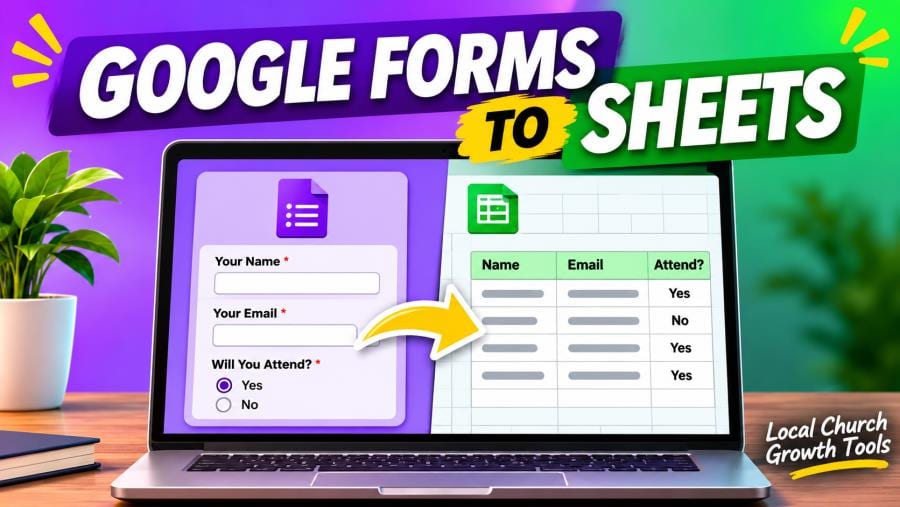
Open the signup form, select Responses and use the spreadsheet destination control. Google lets you create a sheet or select an existing spreadsheet. Name the destination for the signup so a backup coordinator can find it. If you use an existing workbook, check what it already contains and who can access it before linking.
Set up a small test before sharing the public link. Ask the backup to open the form and the spreadsheet with the account they normally use. Have them identify the test entry and show how they would record a reply. Keep the workflow simple enough that another volunteer can take it over during a busy week.
Follow one test response
Open the responder link and submit a clearly labeled test with sample data. Check the Responses tab and the new row in Sheets. Compare fields such as name, session and availability with what you entered. If something is missing, confirm you are looking at the right form and spreadsheet before repeating the test. |
 Illustrative laptop work. Photo by Tim Douglas on Pexels. |
Review sharing and the handoff
Google advises that form collaborators may have access to the linked spreadsheet and that access may need to be removed from each separately. Review both sharing lists. Decide who checks new signups, how they mark a follow-up, and when the backup takes over. Test the backup’s access before announcing registration.
Decide which information belongs on the form before collecting responses. If a question is unnecessary for the signup, remove it before launch. Keep any working tracker visible only to people who need it and review access when volunteers change roles. Distinguish test data from live registrations.
For additional planning, see Google Forms Response Alerts: Test a Church Signup Notification and Google Forms Pre-Filled Link: Test It Before Sharing a Church Signup. Keep the address or link and the confirmed time in one message so everyone can refer to the same details. |
 Illustrative laptop workspace. Photo by Maggie Isley on Pexels. |
0 Comments
Join the conversation
Be the first to comment
Share your thoughts above.