Church Google Business Profile Hours: Office or Sunday Services? |
Understand Google’s worship-schedule guidance and help church visitors find reliable service times, office details, directions, and contact information. |
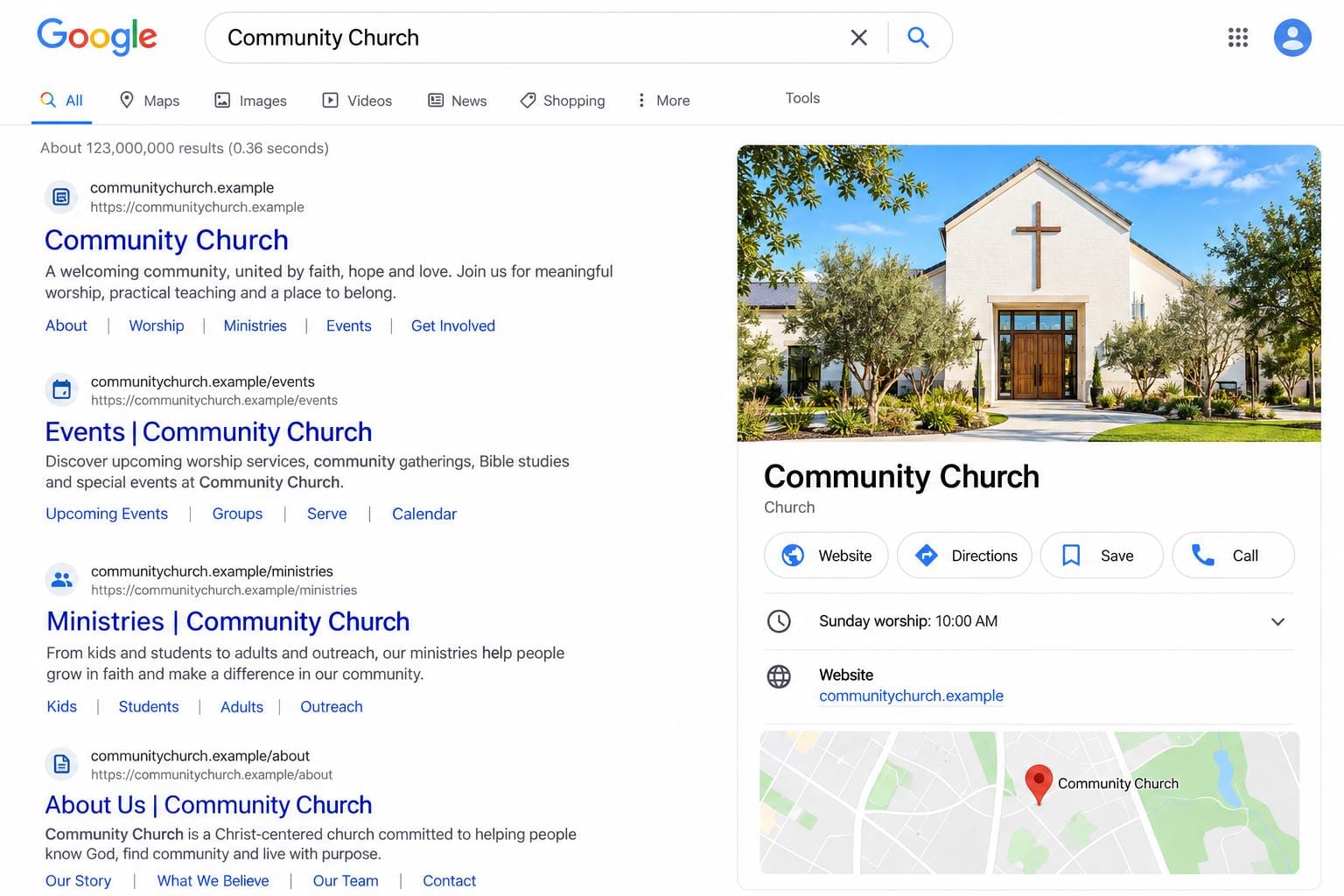
Should a church enter its Sunday services or its office schedule as Google Business Profile hours? Begin with the purpose of the field, rather than copying whichever timetable is easiest to find. A visitor needs to know when worship happens, whether someone can answer a weekday question, and how to reach the right entrance.
Google’s business representation guidelines say ordinary hours describe regular customer-facing operations. They also identify an exception for organizations with varied activity schedules, explicitly including worship services. That means a series of services is not automatically an appropriate business-hours entry. Read the current guidance for your profile instead of treating a generic retail-hours tutorial as a church-specific rule.
Keep the worship timetable on a reliable church page. Give each campus a plainly written address and current service times. Separate the weekly pattern from a special holiday schedule. Include the date when a temporary change applies, and remove that notice after it expires so visitors do not plan from an old announcement.
Explain weekday availability separately: when the office can receive visitors, whether appointments are needed, and how someone should contact staff. If the church has several activities throughout the week, do not imply that every ministry, building or staffed desk is available whenever any one activity is happening. |
 Illustrative stock photograph; not a photograph of this church or ministry. Photo by Anete Lūsiņa on Unsplash |
Before changing the profile, assign an owner who can distinguish the church’s actual operation from its activity calendar. Where the guidance leaves a specific situation unclear, use Google Business Profile Help. Do not repeatedly test conflicting hours or create another listing merely to display an additional timetable.
Check the basics from a newcomer’s perspective. Confirm the location name, address, map pin, website destination and working telephone number. Use the church’s real-world name rather than adding search phrases to it. Google’s guidelines address both accurate representation and duplicate profiles; unnecessary listing variations can confuse visitors.
Make the website destination useful. A campus page should quickly answer which Sunday gathering to attend, where to park, which entrance to use and how to ask a question. A link that lands on an outdated campaign or a generic page with several unexplained locations makes even a correct map listing less helpful.
Use a single source-of-truth note for the communications team: current services, office contact arrangements, campus address, temporary changes and the person responsible for each item. This is our suggested maintenance workflow, not a Google ranking requirement. It helps volunteers update the website and other public channels consistently. |
 Illustrative stock photograph; not a photograph of this church or ministry. Photo by Debby Hudson on Unsplash |
Review the public information whenever service arrangements change. Ask a second person to compare the published page with the organizer’s confirmed schedule, then test the map and phone links on a mobile device. A screenshot for the church’s records can document what was checked without becoming a substitute for future reviews.
Avoid promises about search position. Accurate information serves visitors, but this checklist does not guarantee a higher ranking or immediate changes on Google. Our church marketing and Google Grant guide covers the broader marketing conversation. This article deals specifically with the confusing boundary between opening hours and worship times.
For ownership and recurring review tasks, see our Planning Center church management overview. Whatever system you use, give a real person responsibility for noticing an outdated service time. A calendar reminder is helpful only when someone knows which public pages to inspect and what the confirmed replacement should say.
Finish with a simple test: ask someone unfamiliar with the church to find the next service, the address and a contact method without calling you for clarification. Correct the gaps they identify. Keep Google’s current guidance bookmarked, and recheck it before a future profile change rather than relying on remembered menu instructions. |
0 Comments
Join the conversation
Be the first to comment
Share your thoughts above.